In this example, we’ll analyze a phishing campaign that masquerades as Netflix and uses real-time victim manipulation. This is not a typical static HTML form, but a full-fledged phishing service: the user goes through several stages, and the operator uses the control panel to decide where to direct them next—to enter a username, credit card information, an SMS code, a PIN, or to confirm via the app.
We independently confirmed this mechanism by gaining access to and analyzing the control panel of this phishing site.
In this article, we do not describe how to gain access to the control panel, but we use the very fact of its existence as confirmation of the operational model: the attack was managed manually or semi-automatically via a backend interface.
0. The Hook
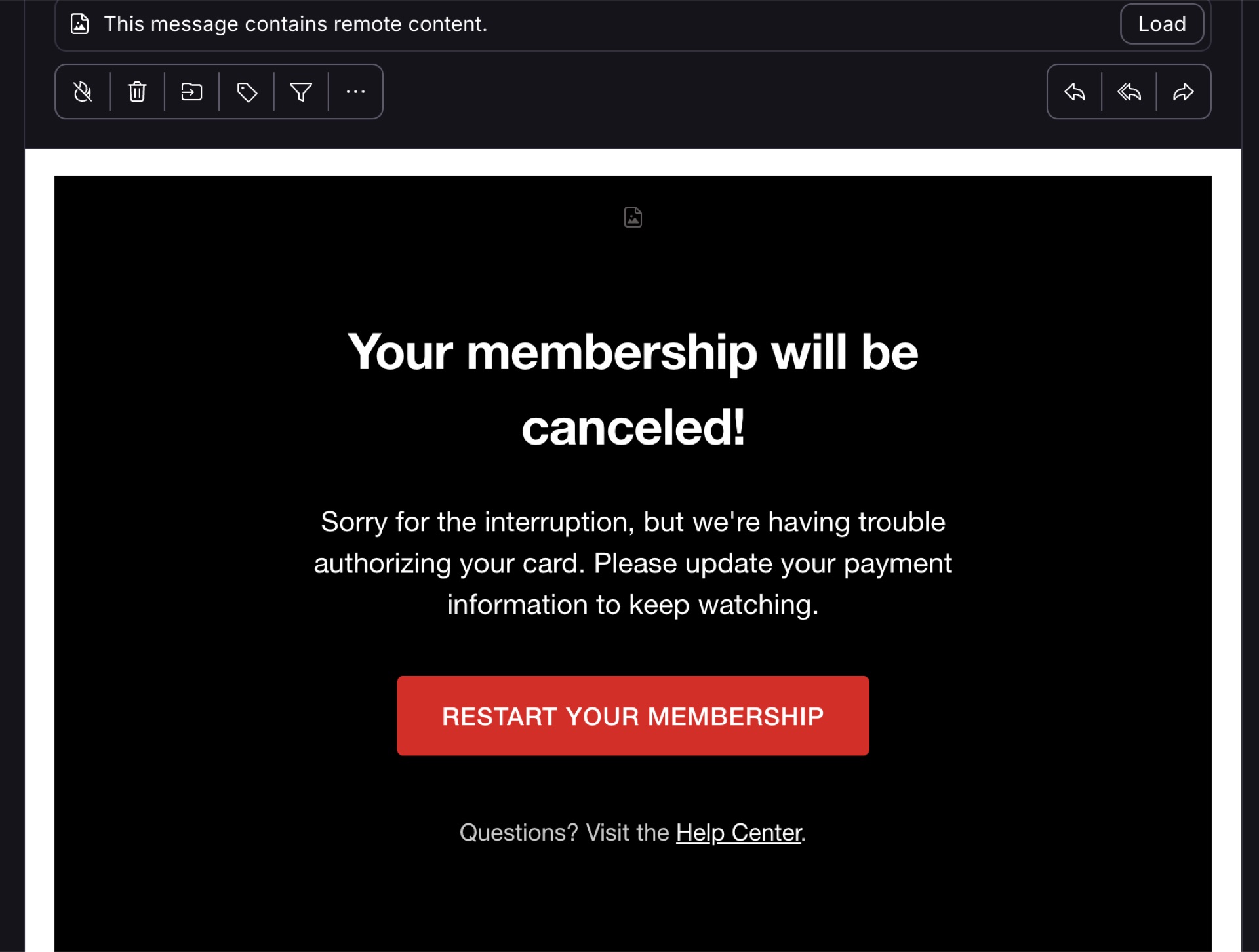
The first thing the user receives is an email using standard social engineering tactics to prompt action. The attackers hope to grab the user’s attention by suggesting that their access to their favorite TV shows might be suspended. To bypass email filters and hide the final phishing domain, the attackers use a shortened link via the infrastructure of social network X: https://t.co/XXXXXXX
At first glance, this looks like a regular link via t.co, so it appears less suspicious to both the user and some automated filters.
After clicking, the user is not immediately taken to the main phishing page. First, they are redirected to an intermediate resource.
1. Public S3 Bucket as an intermediate redirector
The link leads to a public S3 bucket: https://access-authority-2faXXXXX.s3.eu-north-1.amazonaws.com/index.html
This stage acts as both a filter and a redirector.
index.html It filters by country and predefined IP addresses. This prevents the actual phishing site from being exposed to researchers, automated scanners, sandboxes, and security systems.
After passing through the filter, the user receives a simple HTML redirect:
<meta http-equiv="refresh" content="1;url=https://www.XXXXX.help/index.html">
The domain is disguised as a CAPTCHA-solving service. This is a convenient cover story: the user sees a technical name and may think they’re facing an intermediate browser check, a CAPTCHA, or security validation.
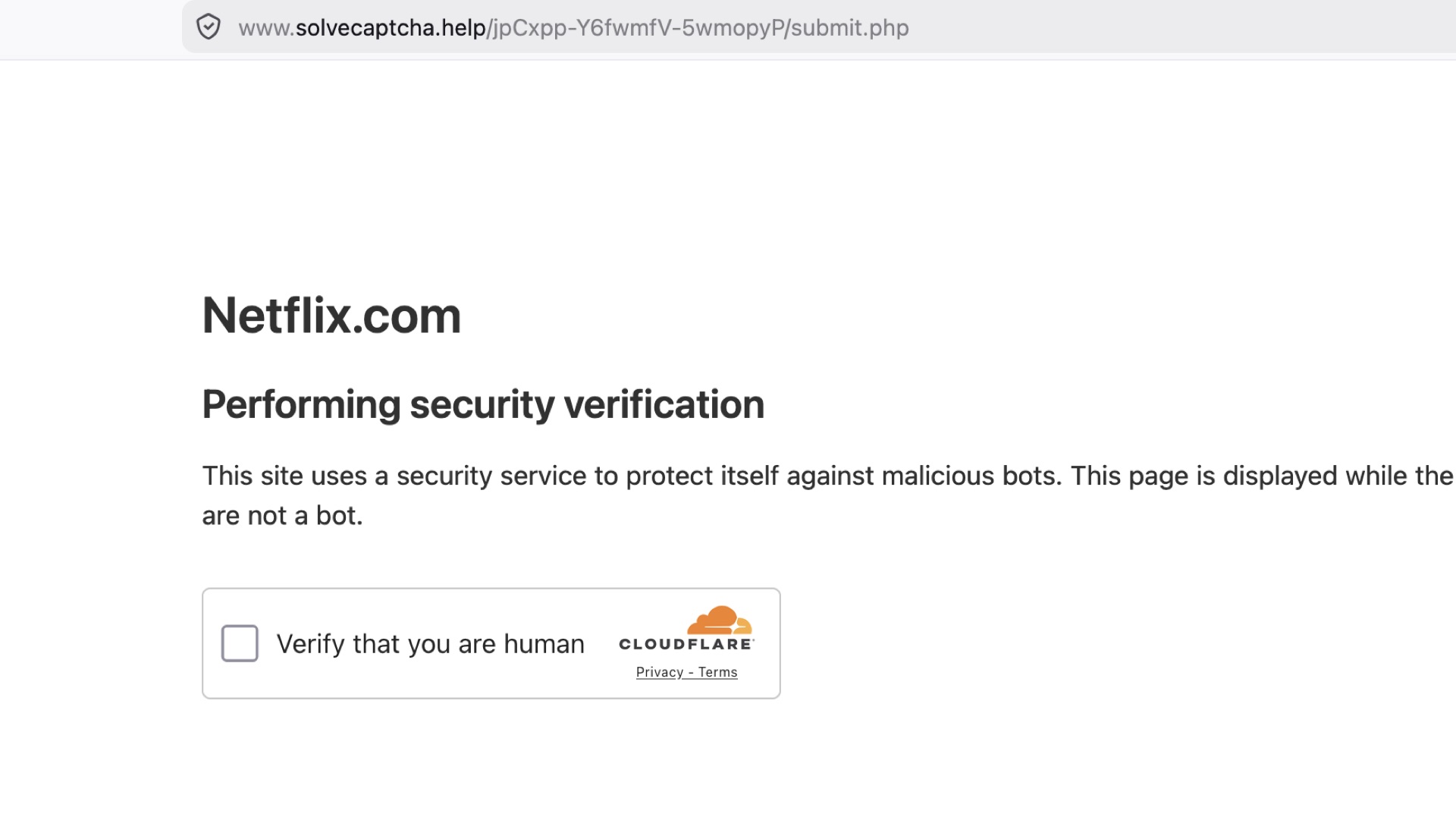
In practice, this is a phishing infrastructure.
Device fingerprinting is already taking place at this stage. The code collects user events:
- mousemove
- touchmove
- keyup
- Backspace
- deviceorientation
The script analyzes not only the occurrence of events but also their parameters:
- movement speed;
- intervals between events;
- normalized coordinates;
- sharpness of direction changes;
- keyboard behavior;
- device orientation;
- touch/mouse profile.
This is used to assess whether a visitor is a real person.
Obfuscation and “encryption” of telemetry
Part of the telemetry is encrypted using AES-CBC before being sent: crypto.subtle.encrypt({ name: 'AES-CBC', iv: ... }, key, data)
The code contains anti-debugging logic. The script constructs a word debugger from a numeric array and calls it via new Function(). If execution is delayed, the page sends a beacon request to /misc/index.php?r=<random> with the parameter bcl
This appears to be an attempt to determine whether the user has opened DevTools or whether JavaScript execution has been paused at a breakpoint; the backend may alter its behavior, hide the actual flow, and display an error or redirect the user to the legitimate Netflix website.
After successfully passing the “CAPTCHA,” the user is redirected to main/prepare.php
2. Phase One: Collecting the username and password
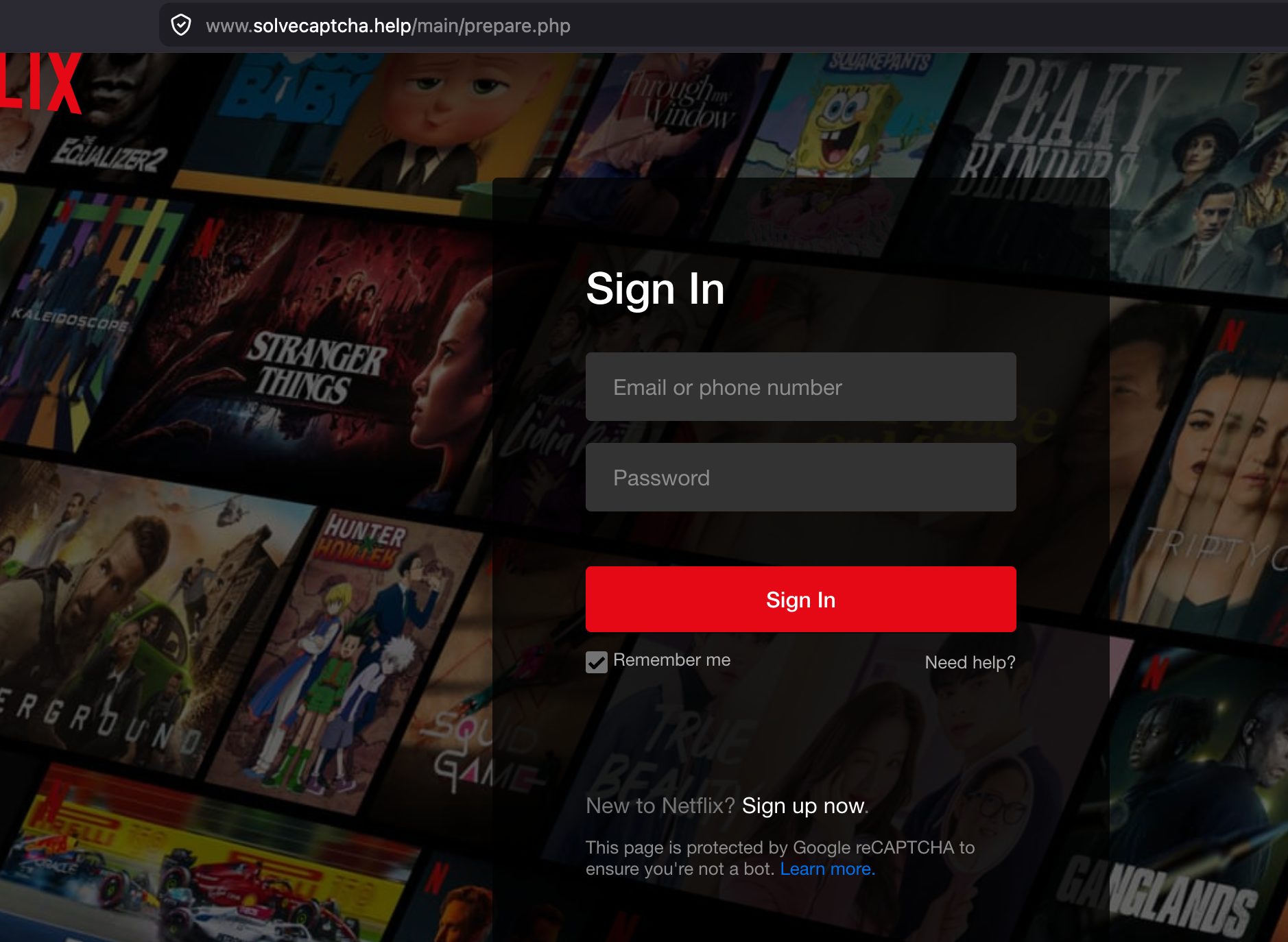
The first actual stage of the attack—it’s neither a card nor an SMS. First, the user is taken to a page that mimics the Netflix login screen.
At this stage, the attackers collect the email address and password.
This is important: the attack begins by compromising the account and only then moves on to payment details.
After the POST form is submitted, the page redirects the user to the next stage—“credit card verification.”
Thus, even if the subsequent payment steps are not completed, the attackers have already achieved a valuable result: access to the account.
3. Phase Two: Entering Card Information
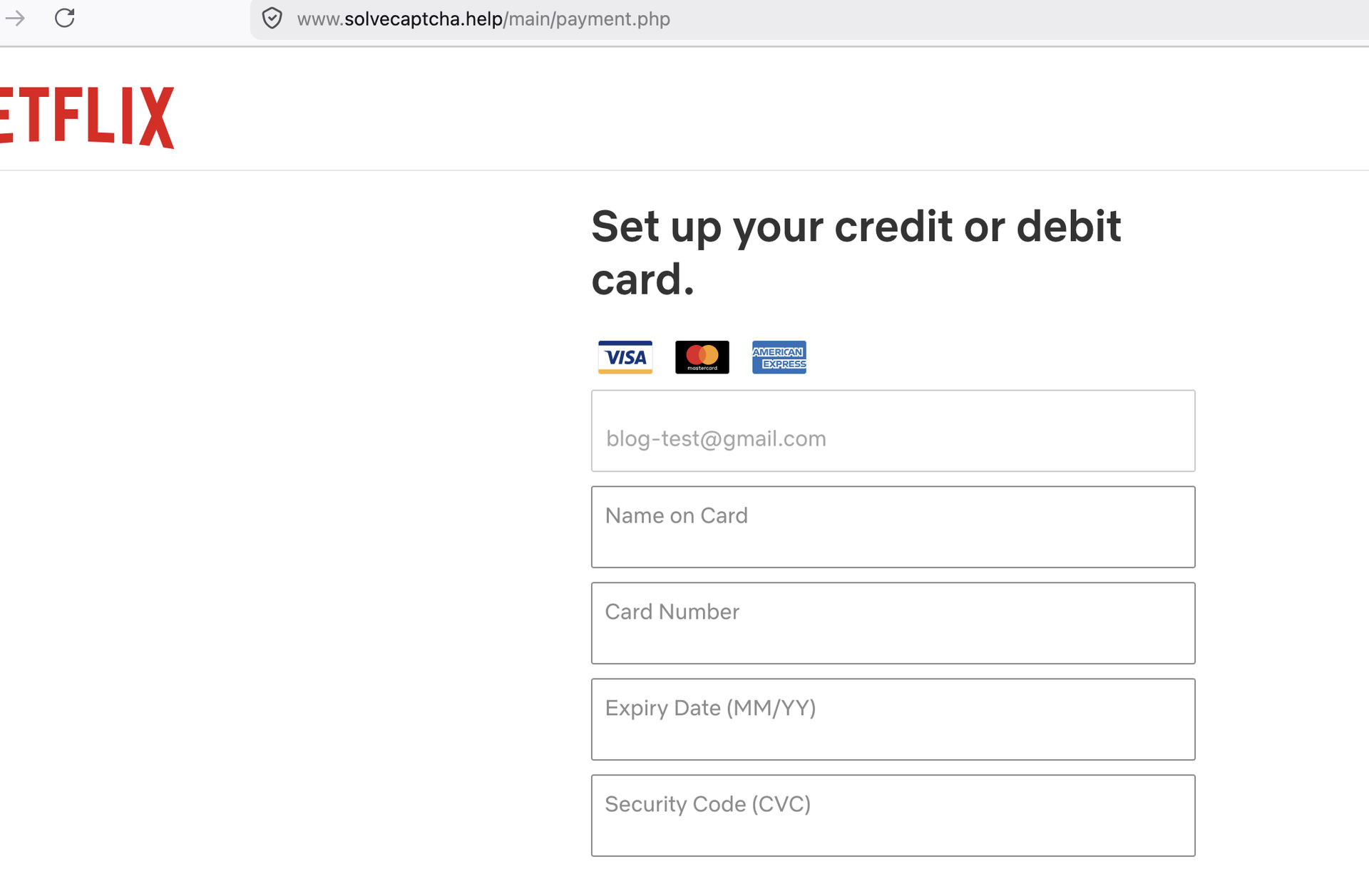
After entering their username and password, the user is redirected to the payment verification page.
At this stage, the scenario mimics the need to verify the card linked to Netflix. The user sees an interface similar to the legitimate billing flow and enters their payment details.
The goal of this stage is to collect:
- cardholder name
- card number
- expiration date
- CVV/CVC
Telemetry is sent continuously throughout the process:
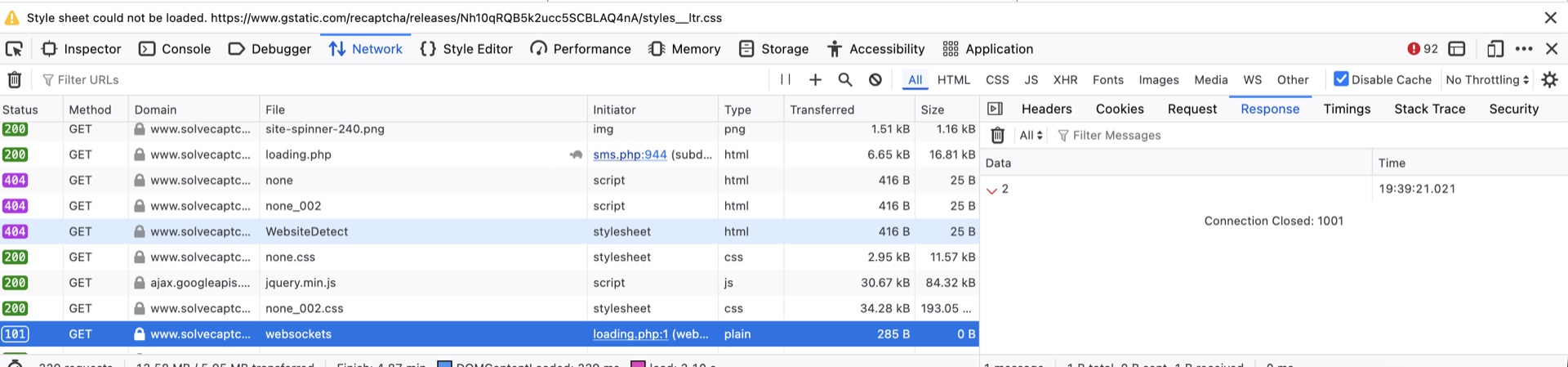
4. Phase Three: Loading Screen and Waiting for an Operator
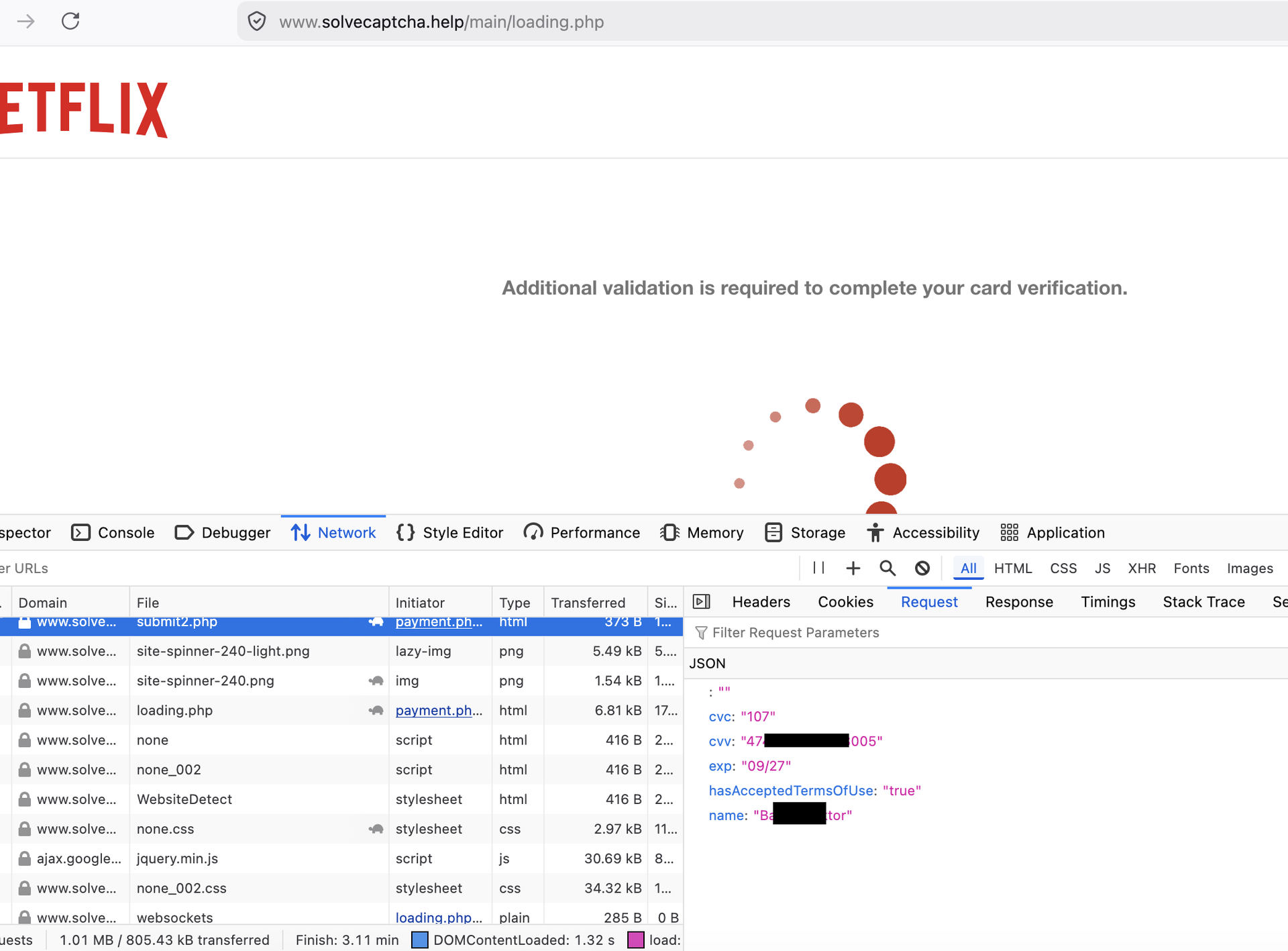
After entering the card details, the user is redirected to a waiting page. This is the HTML we see in the analyzed artifact.
The page states:
Additional validation is required to complete your card verification
You will receive a text message on your mobile phone...
Visually, this looks like a typical wait for bank confirmation. But technically, this isn’t just a “waiting screen”; it’s the point where the user remains logged in while the backend or operator decides what the next step should be.
5. Real-time control via WebSocket
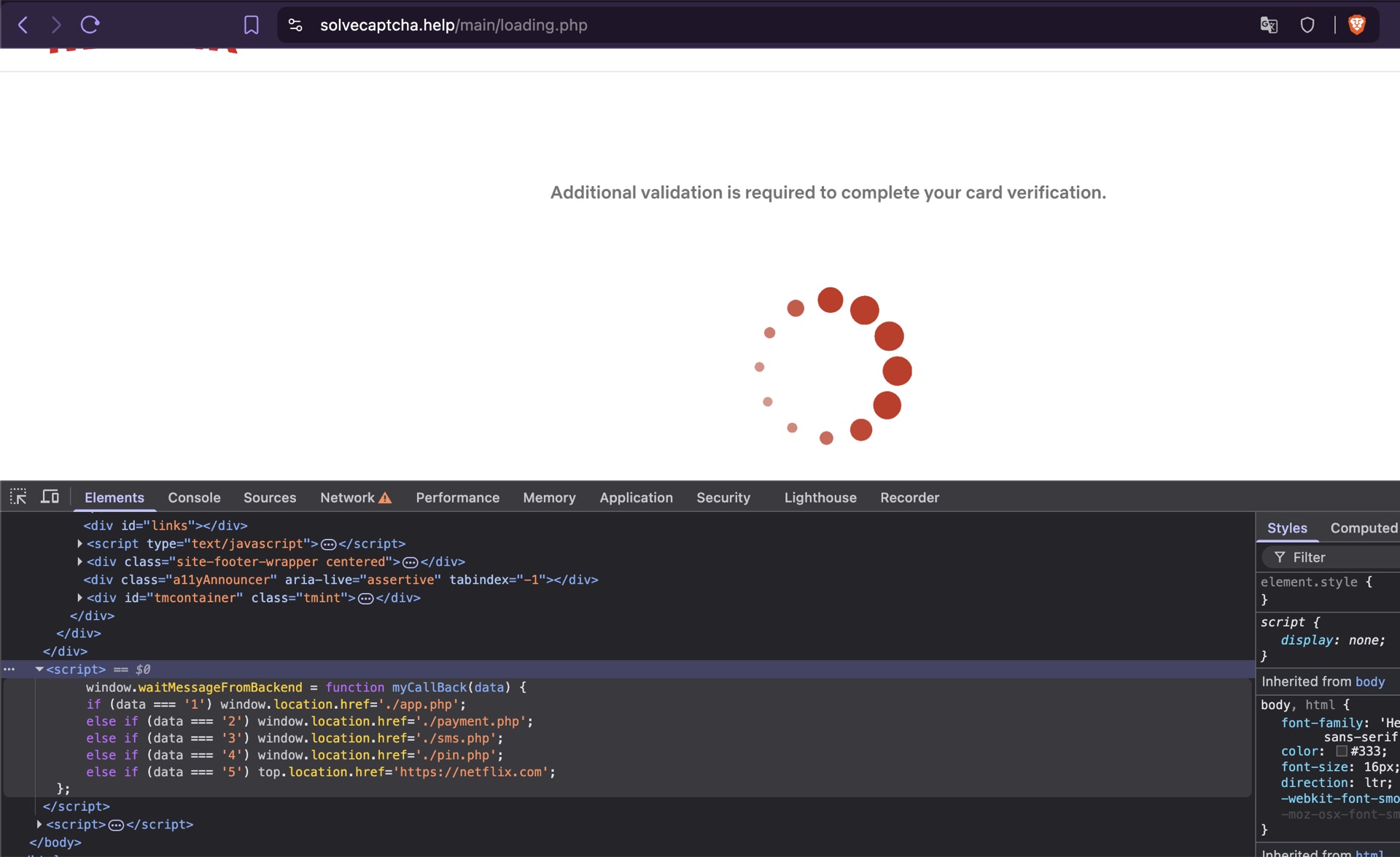
The main control mechanism is WebSocket. We can see an open wss:// at the bottom of the requests. The page connects to the WebSocket and waits for a command from the backend. The HTML contains logic that allows the operator to direct the user to different screens:
| Code | Path | Description |
|---|---|---|
| 1 | ./app.php | Confirmation request page in the banking app |
| 2 | ./payment.php | Re-request to enter card information due to an error |
| 3 | ./sms.php | Page for entering the code from the SMS |
| 4 | ./pin.php | Page for entering the PIN from the card |
| 5 | https://netflix.com | Redirect to the real Netflix website |
The card entered by the user—either automatically or in semi-automatic mode—begins to be used for payments at various stores. These are most likely merchants controlled by attackers.
This is precisely where the real-time component becomes particularly dangerous. The operator can see what type of confirmation the payment system has requested and adapt the phishing page to the specific moment of the attack—alternating between requesting confirmation within the app, a code via SMS, or a card PIN.
6. Confirmation via the admin panel
After studying how the phishing site worked, we decided to look for vulnerabilities in this panel. Along the way, we came across some rather strange “Easter eggs” left by the panel’s creator.
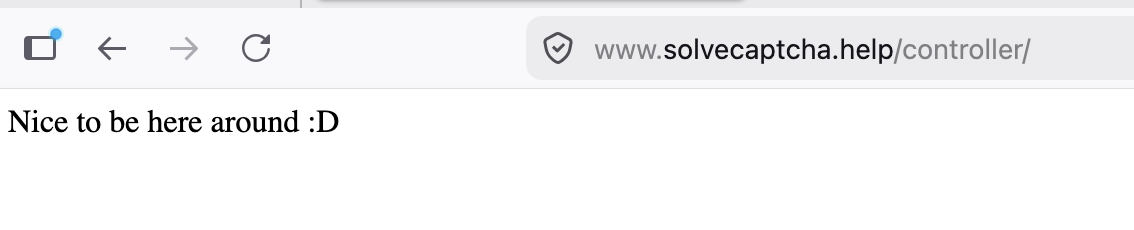
Based on the logs, we can confirm that over a 24-hour period, at least four different panel administrators logged into the admin panel at intervals of 4–7 hours.
We also discovered additional open ports on the panel—2082, 2095, 8880, and 1010—which allowed us to identify the real IP address, since the scammers’ site is behind CloudFlare.
The ISPs have been notified.
7. Indicators of Compromise
Domains
*.solvecaptcha.help
8. Conclusion
This campaign demonstrates how modern phishing services transform a standard login page into a real-time operation.
Attackers first obtain the username and password, then payment details, after which they keep the user on a loading screen. At this point, an operator in the backend/admin panel decides what the next step should be: an SMS code, a PIN code, app-based confirmation, or a final redirect to the real Netflix site.
The key technical feature of this scheme is WebSocket control. It is this feature that makes the attack interactive and allows operators to tailor the scenario to a specific victim and a specific banking workflow.
This is no longer just a “phishing page.” It is a live phishing operation.