Let's start with a basic overview of the message we received
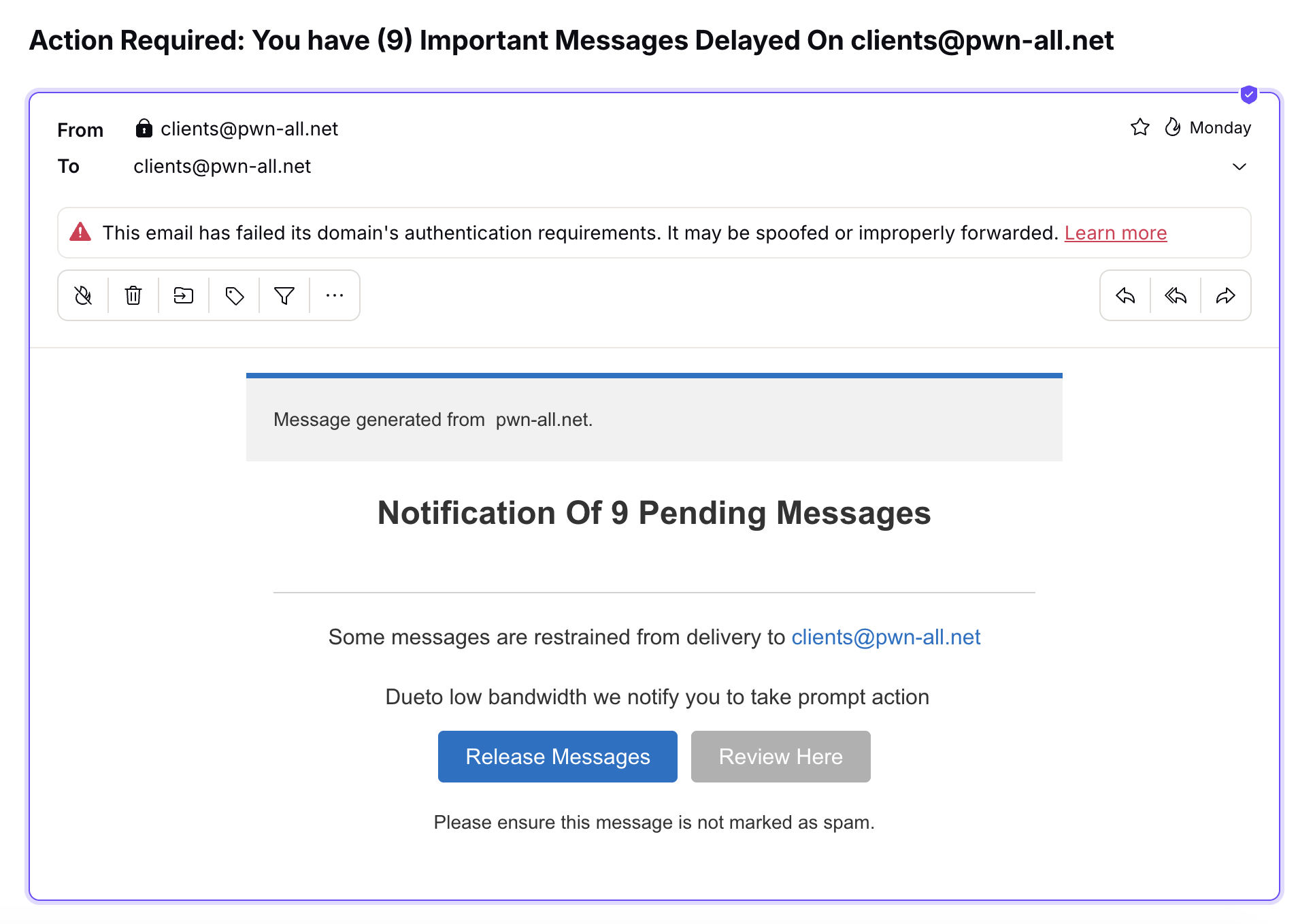
Thanks to the proper filter settings, it was immediately sent to the spam folder. However, not all systems have these settings enabled or configured correctly. So let’s assume that, like 60% of corporate mailboxes, ours doesn’t have them either.
What we can observe:
1. A call to action. "Action Required"
2. Manipulation of “importance”. "Important Messages Delayed"
3. Manipulation of the sender. The sender is also the recipient
The sender is spoofed using a custom-built SMTP message. It also passed through a proxy server and used compromised credentials from a Pakistani educational institution, as we can see from the raw email headers:
Received: from mail.nilop.edu.pk (unknown [182.176.176.99]) (using TLSv1.2 with cipher
Received: from [147.189.172.248] (unknown [147.189.172.248]) (using TLSv1.2 with cipher
0. First View
Let's open the link from the message. Warning: Do not open suspicious links on your devices—they may contain a virus.
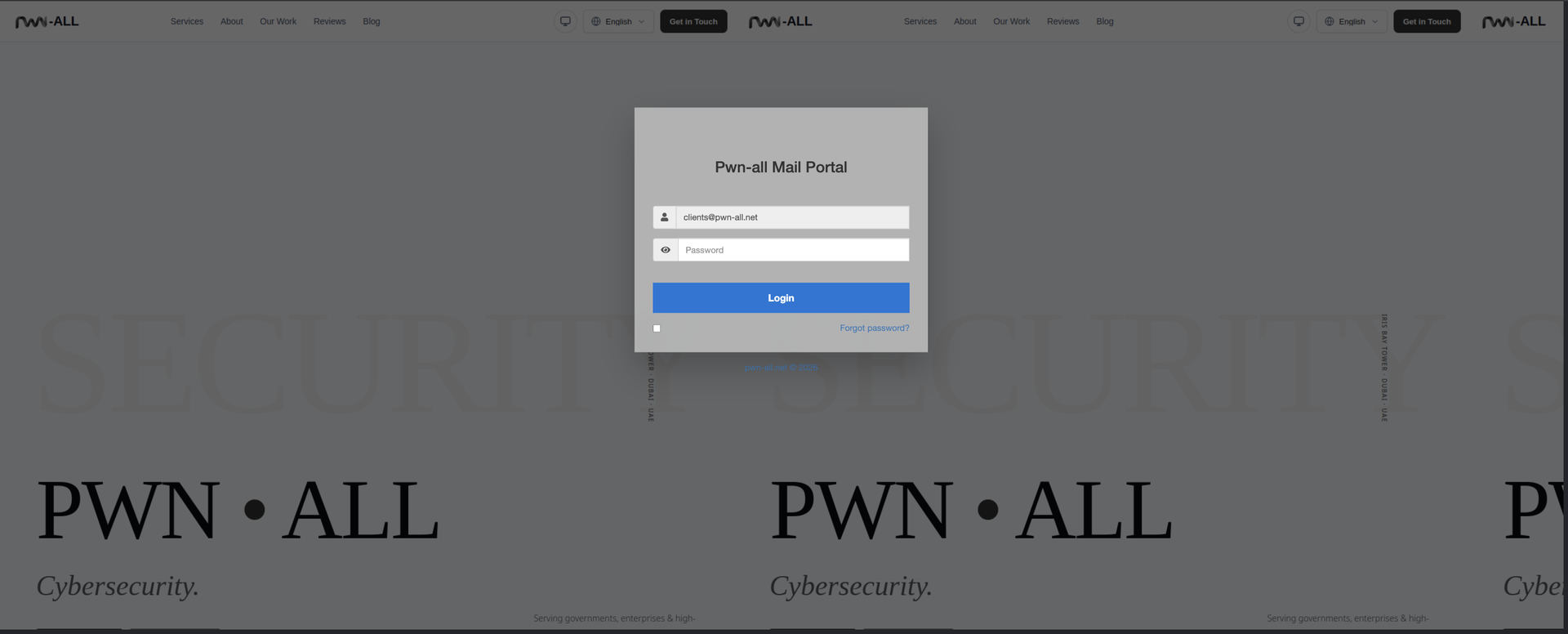
The link was in the following format: https://****.gitlab.io/#clients@pwn-all.net
Why do we see “GitLab” in the link?
Because the attacker took advantage of GitLab's ability to host static websites. The hosting itself isn't anything out of the ordinary, but the trust associated with the gitlab.io domain helps boost the domain's trust factor and bypass the filters of some systems.
Step 1. Let's take a look
Let's take a look at what happens when we click this link and why we see our website's home page (albeit a bit wonky).
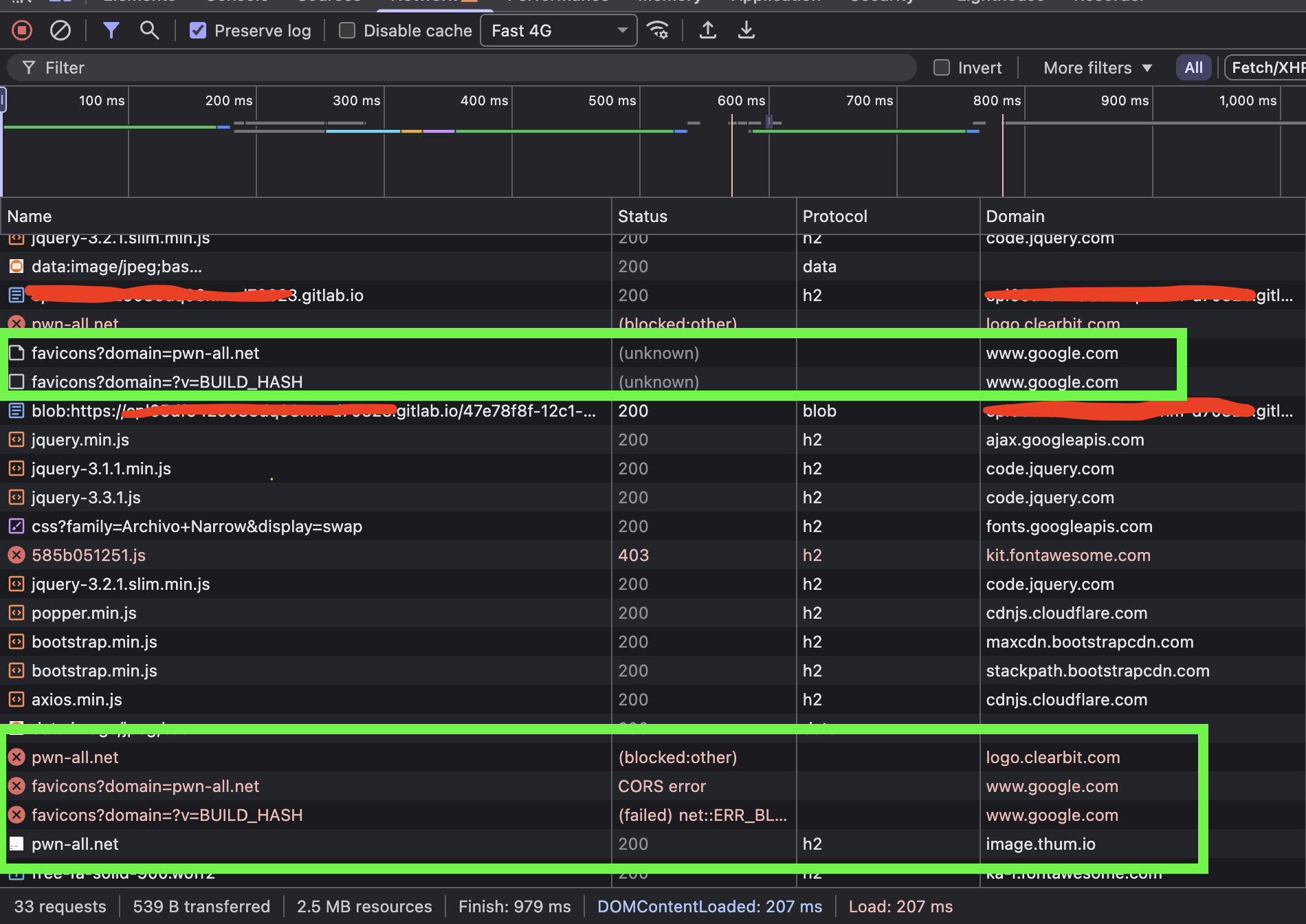
We can see that the attacker is using legitimate services to:
Google & ClearBit: retrieve the favicon
Thum: retrieve a 1200-pixel-wide screenshot of the website
This is primarily intended to increase the average user's trust in a fake website—so that they see a familiar logo and a familiar company website in the background.
Step 2. Sending Data
Let's say we're an ordinary user who didn't pay attention and entered our information. What happens next?
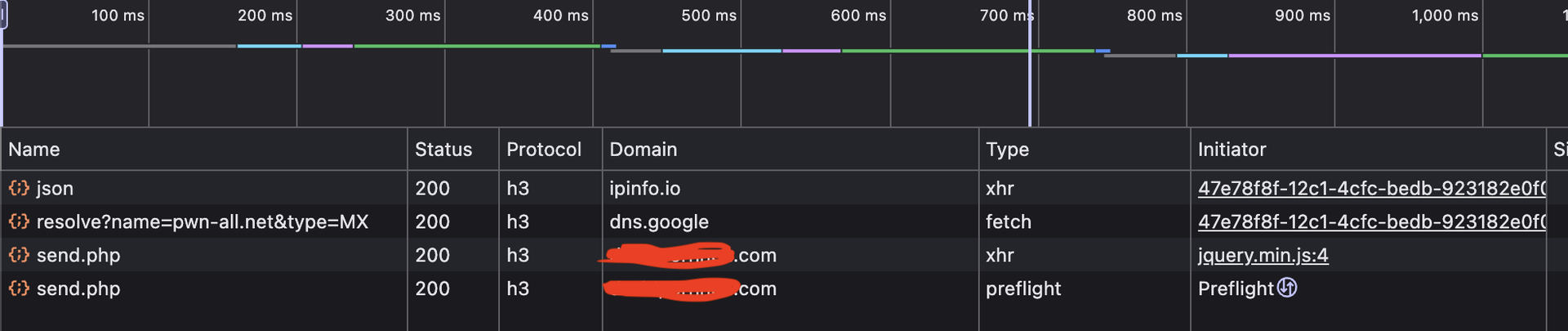
Here, we can already see references to third-party services such as:
1. ipinfo — to collect information about the user’s IP address, specifically: country, region, org, approx loc, timezone, and postal. Most likely, this is to determine which proxies or VPNs to use for subsequent logins or to prepare an email for another social engineering tactic.
2. Google DNS — to obtain the MX record indicating where the mailbox's entry point is. Presumably to attempt verification via SMTP
3. It's actually the attacker's web server, not a proxy that the request is sent to.
So what is included in the payload for his server?
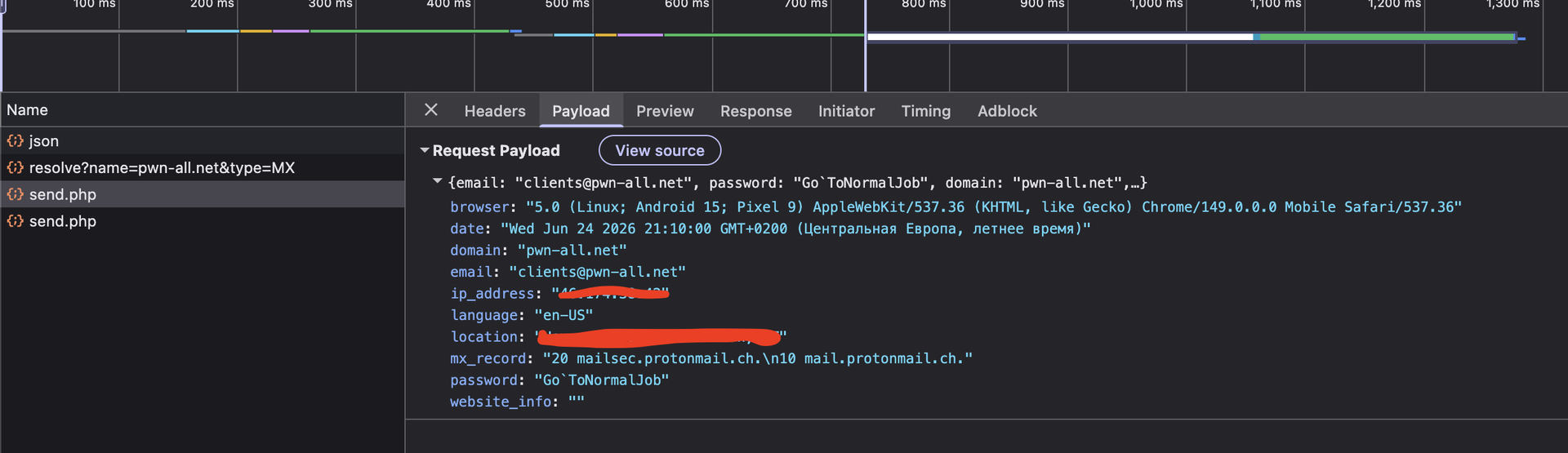
It's basically the standard set. But... the response from the server wasn't standard.
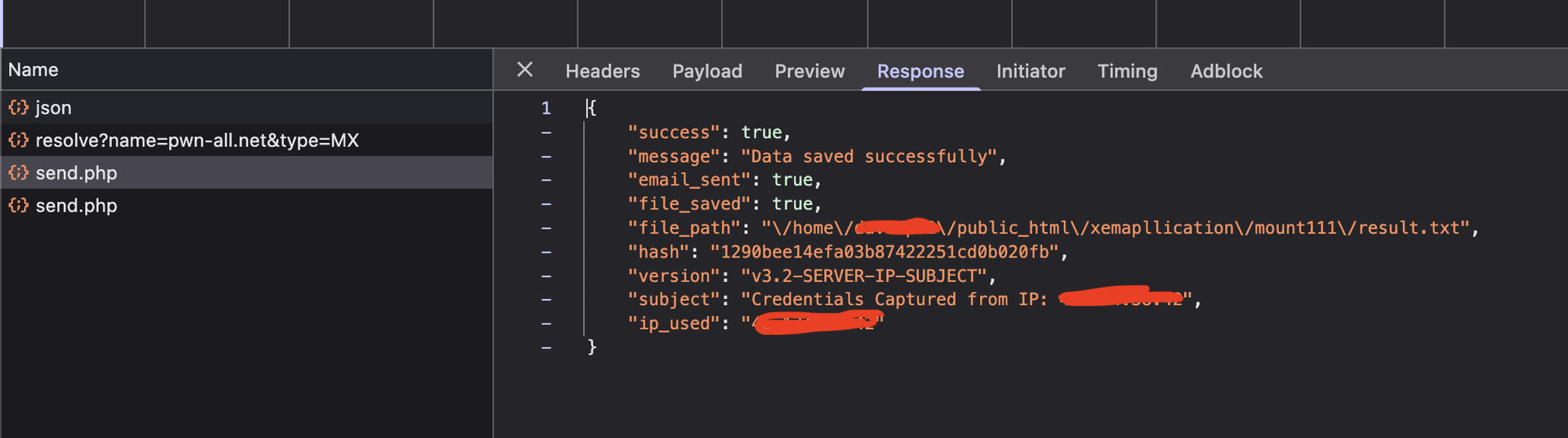
The reply included the path to where the data was saved. It might seem like a joke, but it isn't.
Step 3. Inside
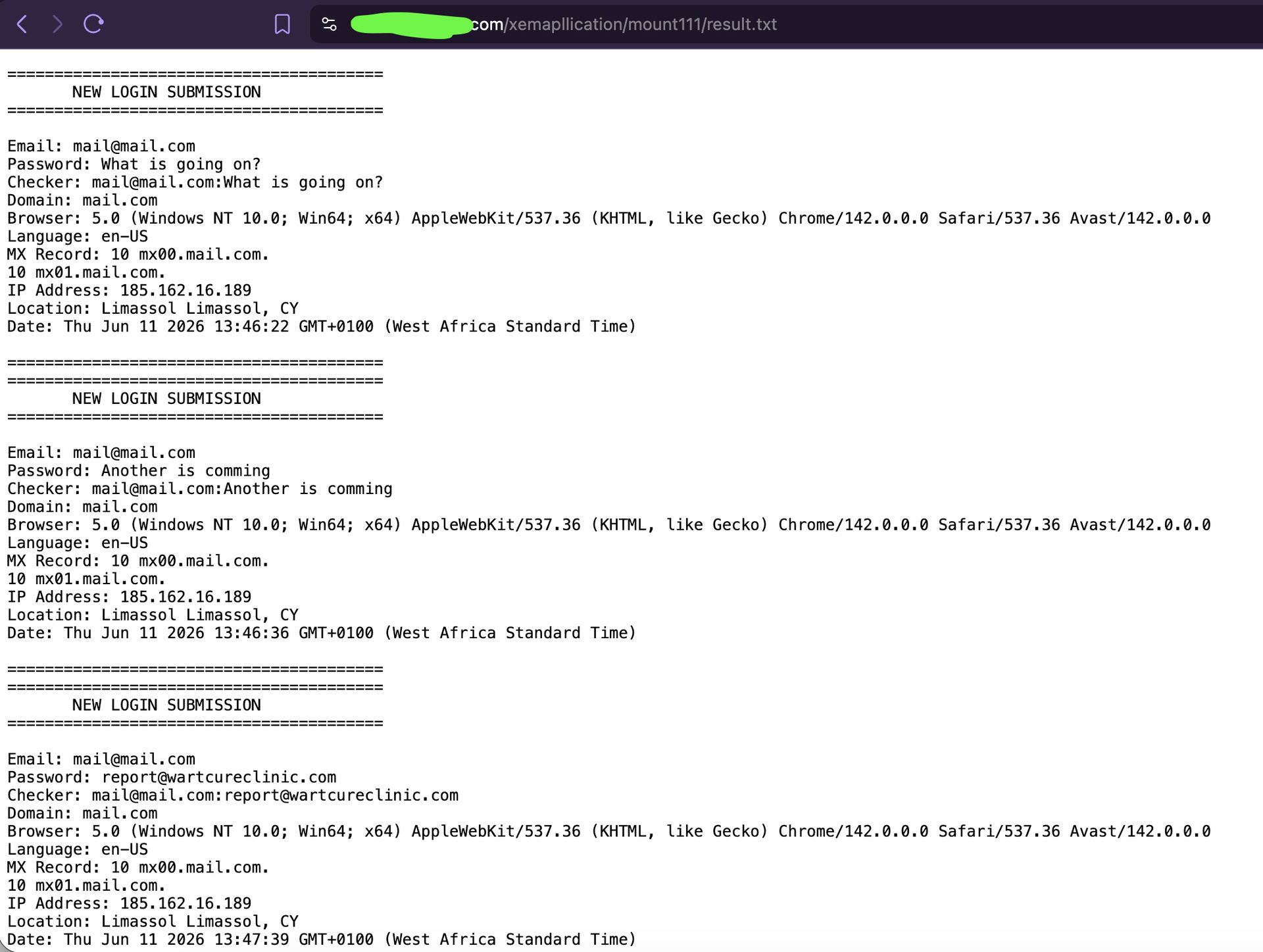
The attacker’s astonishing foolishness and the researchers’ incredible luck. Here, we can immediately notice what appear to be tests conducted by the attacker himself using an IP address from Cyprus. We can also see his time zone, which is not standard for a Cyprus IP address—namely, West Africa Standard Time. This could hypothetically indicate the spammer’s actual location.
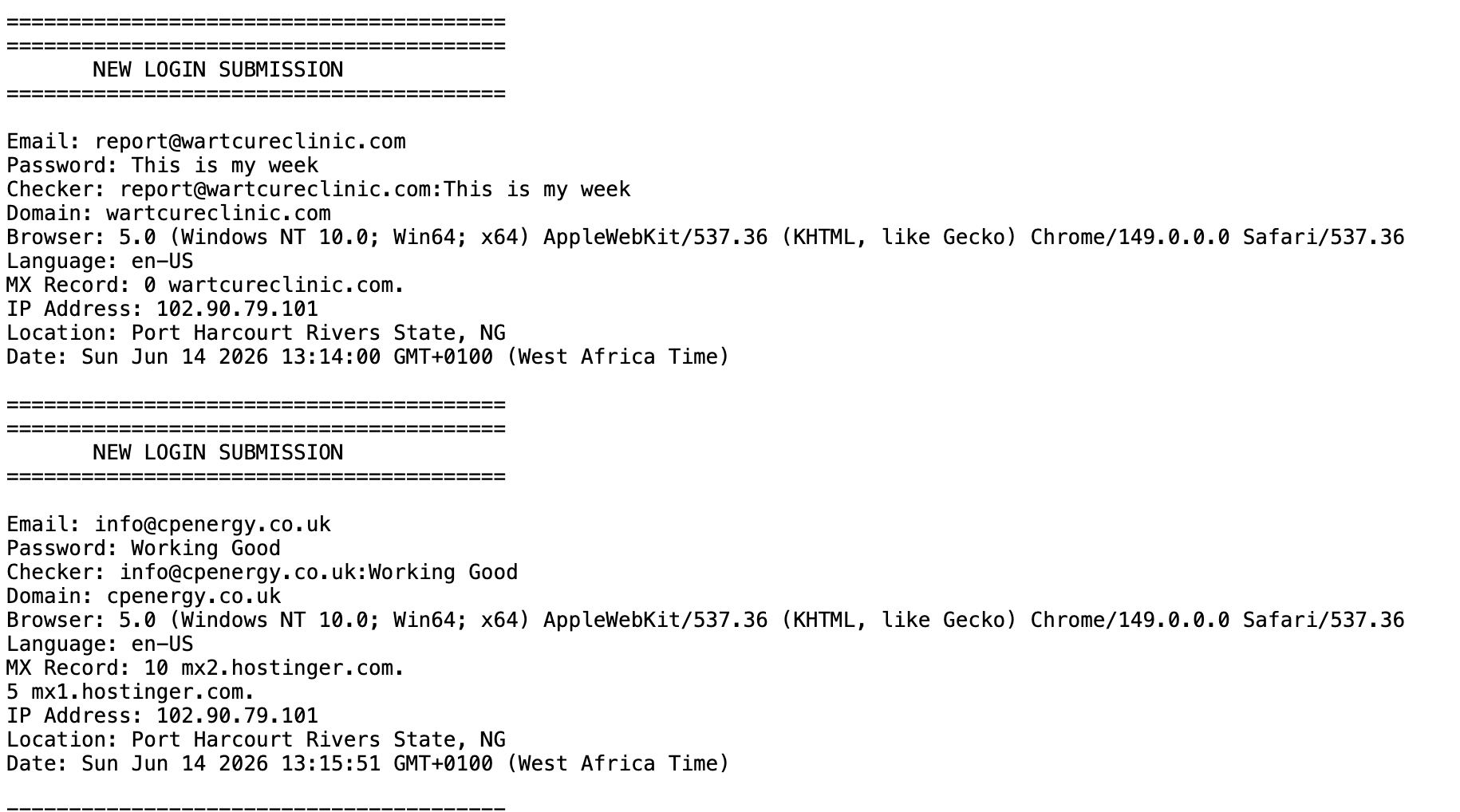
And, well, I guess we got lucky. After checking his logs, we managed to identify a recurring IP address from Lagos, Nigeria.
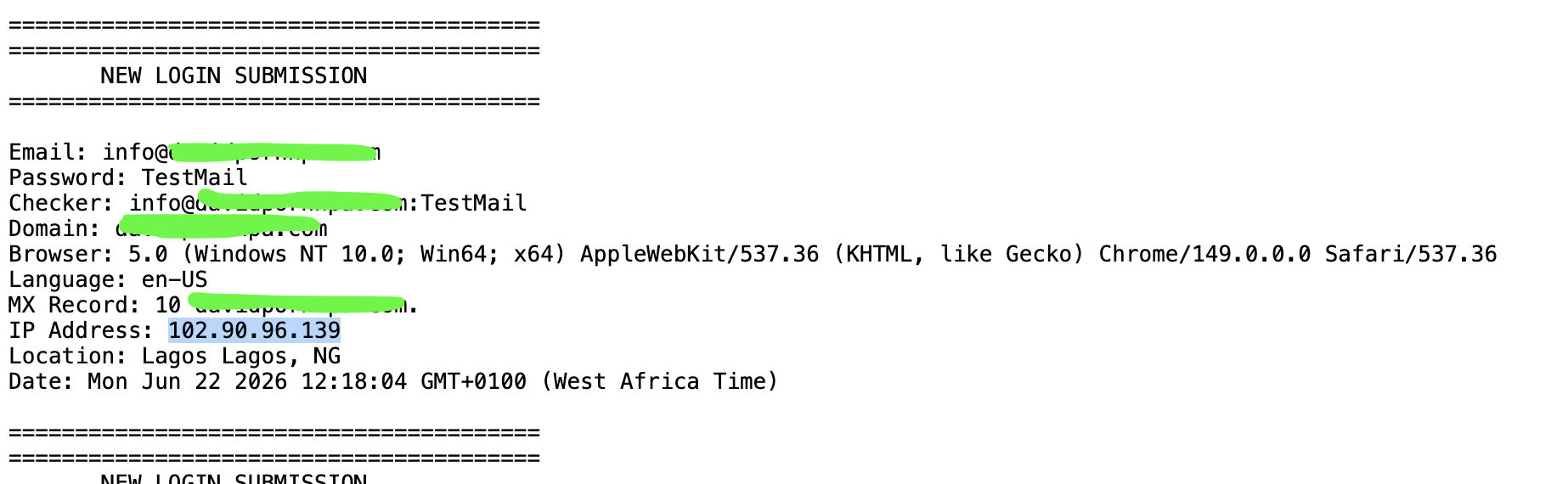
And we saw an IP address from Nigeria again; at this point, we can probably say with certainty that it was a test by the spammer himself.
Unfortunately, several people fell for this trick, including an employee at a bank, a library, a real estate agency, and others. The spammer was presumably clearing his logs. The victims and hosting providers have already been notified.
To help you avoid falling for this scam, we offer our corporate solutions in the form of plugins for your email clients and data breach monitoring services for business users. There is also a solution for individuals that focuses on confidentiality and privacy when searching for their data in leaks from data stealers, compromised websites, or posts on the dark web, Telegram, or Discord across more than 600 sources. Click the link to learn more about DarkWeb Monitor.
Step 4. Recommendation
To prevent similar phishing emails from reaching user mailboxes, enforce strict sender authentication validation at the SMTP gateway level.
Recommended controls:
- Publish and maintain a strict SPF record ending with
-all. - Sign all outbound email using DKIM.
- Enforce DMARC with a reject policy